

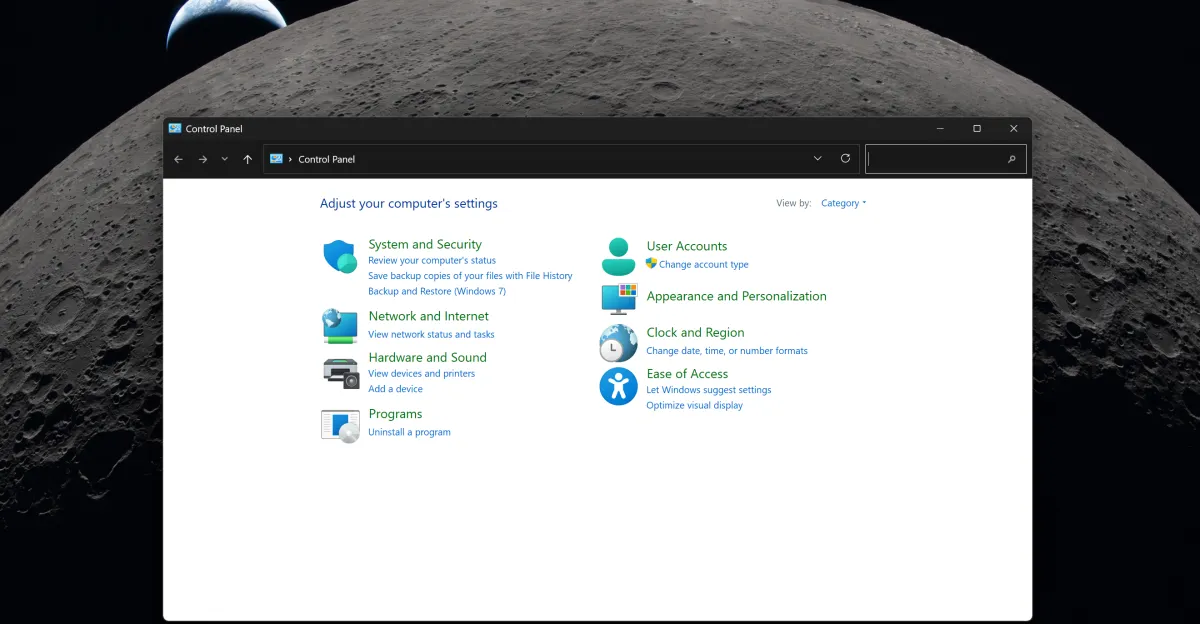
The slow process of the Windows Control Panel removal is largely due to the intricate complexities surrounding printer and network drivers.

You might have noticed the Windows Control Panel removal process dragging on for what seems like an eternity. Microsoft’s journey to phase out this dated feature began back in 2012 with the release of Windows 8. Yet, more than a decade later, the tech giant is still in the midst of transitioning all the old Control Panel functions into the modern Settings app in Windows 11. This protracted process has left many users wondering why it’s taking so long.
The Evolution of Windows Settings
Microsoft’s efforts to modernize the Windows operating system have been ongoing for years. The introduction of the Settings app in Windows 8 was a significant step towards creating a more user-friendly interface. However, the Control Panel, with its roots dating back to Windows 95, has proven to be a stubborn fixture. The Control Panel removal has been a gradual process, with Microsoft slowly migrating settings and functionalities over to the new Settings app. In 2021, there was a notable push to phase out the Control Panel, but the transition hasn’t been as straightforward as initially anticipated.
Early Attempts and Setbacks
The journey of Windows Control Panel removal began with Windows 8. Microsoft introduced the Settings charm, which was later evolved into the Settings app in Windows 10. The idea was to create a more intuitive and cohesive user experience. However, the Control Panel remained, offering access to more advanced settings that the Settings app couldn’t initially handle. Over the years, Microsoft has been incrementally moving features from the Control Panel to the Settings app, but the process has been slower than expected.
Challenges in Windows Control Panel Removal
One of the primary reasons for the delayed Windows Control Panel removal is the complexity of printer and network drivers. These components are deeply integrated into the operating system and have been a part of Windows for decades. Ensuring that all these drivers work seamlessly with the new Settings app is a monumental task. Compatibility issues, bugs, and the need for thorough testing have all contributed to the prolonged process. March Rogers, partner director of design at Microsoft, explains that the team is taking a cautious approach to avoid breaking any existing functionalities.
Last year, Microsoft made significant strides in migrating settings such as clock configurations, keyboard repeat delays, and mobile app notifications to the Settings app. However, these efforts were just a small part of the overall transition
Despite these incremental changes, the complete Windows Control Panel removal remains a work in progress. A support note hinting at the imminent removal of the Control Panel was quickly updated to confirm that Microsoft was still in the process of migrating settings. This revelation underscored the complexity of the task and the need for a meticulous approach. Microsoft’s cautious pace is driven by the desire to ensure a smooth transition without disrupting user experience.
The Future of Windows Settings
So, what does the future hold for the Windows Control Panel removal? While Microsoft has not provided a definitive timeline, it is clear that the process will continue to be methodical and thorough. The goal is to create a seamless user experience where all settings and functionalities are accessible through the modern Settings app. This transition is part of a broader effort to simplify and streamline the Windows operating system, making it more intuitive for both novice and advanced users.
In the meantime, users can expect to see more settings and features gradually migrate from the Control Panel to the Settings app. Microsoft’s commitment to improving the user experience means that the Windows Control Panel removal will likely be a phased approach, with regular updates and refinements. For those eager to see the end of the Control Panel, patience is key. The tech giant is working diligently to ensure that the transition is smooth and error-free.
Staying Informed
If you’re interested in keeping up with the latest developments in Windows Control Panel removal, consider following tech news websites and Microsoft’s official blogs. These resources provide regular updates and insights into the company’s efforts to modernize the Windows operating system. Additionally, joining online communities and forums can be a great way to stay informed and share your thoughts with fellow users.
Conclusion
The Windows Control Panel removal process is a testament to the complexities involved in updating a decades-old operating system. While the journey has been slow, Microsoft’s cautious approach ensures that the transition is thorough and user-friendly. As the tech giant continues to refine the Settings app, users can look forward to a more streamlined and intuitive Windows experience.
For more detailed information on the Windows Control Panel removal, you can check out the original article on The Verge. This comprehensive guide provides an in-depth look at the challenges and progress of the migration process. Stay tuned for more updates on this ongoing effort to modernize the Windows operating system.


Original source: The Verge




Leave a Reply